 HANNUN
File search for Windows
Search selected folders by name or document text.
Search filenames and supported document text in folders you choose. See matching passages, preview supported files and review duplicates with a local recovery flow. Search and indexing run on your PC; Pro checkout opens a browser.
The installer is unsigned, so Windows may show “Windows protected your PC”. Choose More info → Run anyway only if you intend to install Hannun. Read the SmartScreen FAQ.
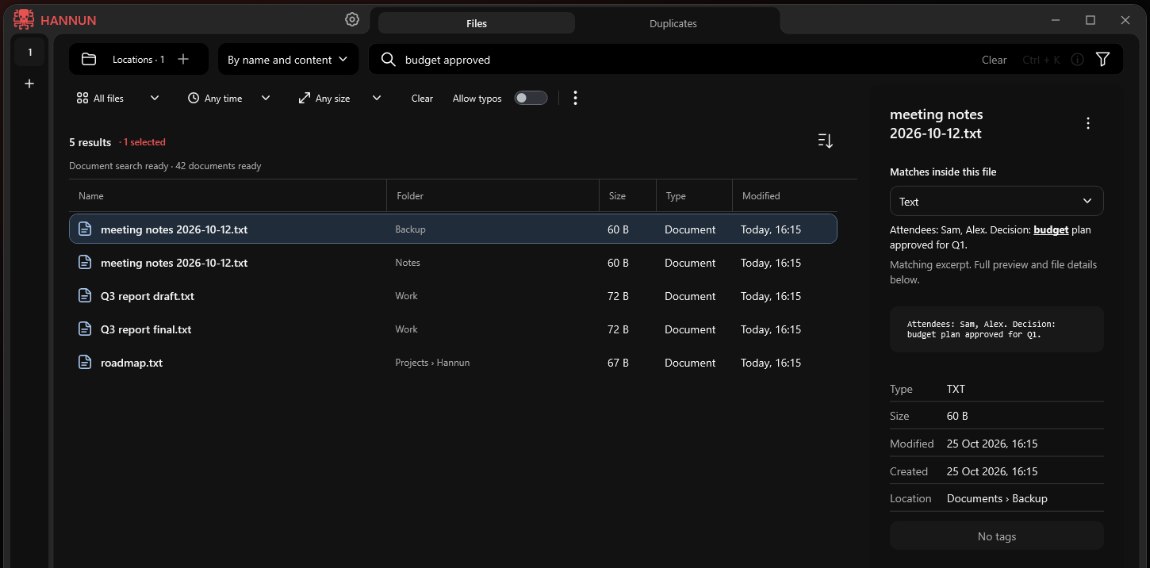
Search inside documents
Remember a phrase, not a file name? Search for that.
Switch to “By name and content” and Hannun finds the documents that contain your words, then shows the matching passage.
- PDF, DOCX, XLSX, PPTX, text and code files
- Matching excerpts with the words highlighted
- Indexing runs in the background and shows its progress
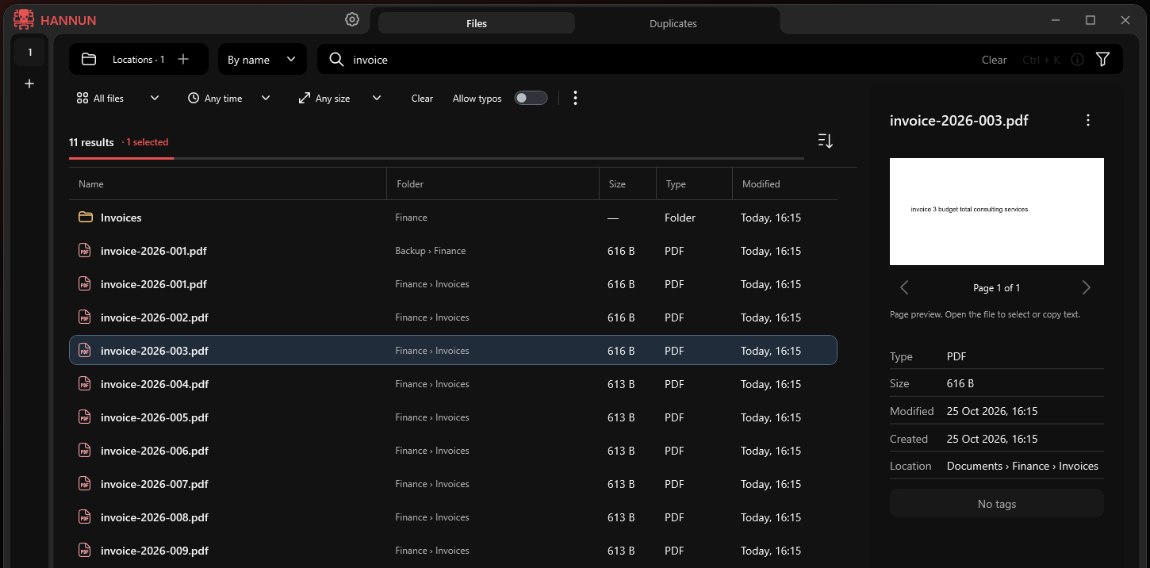
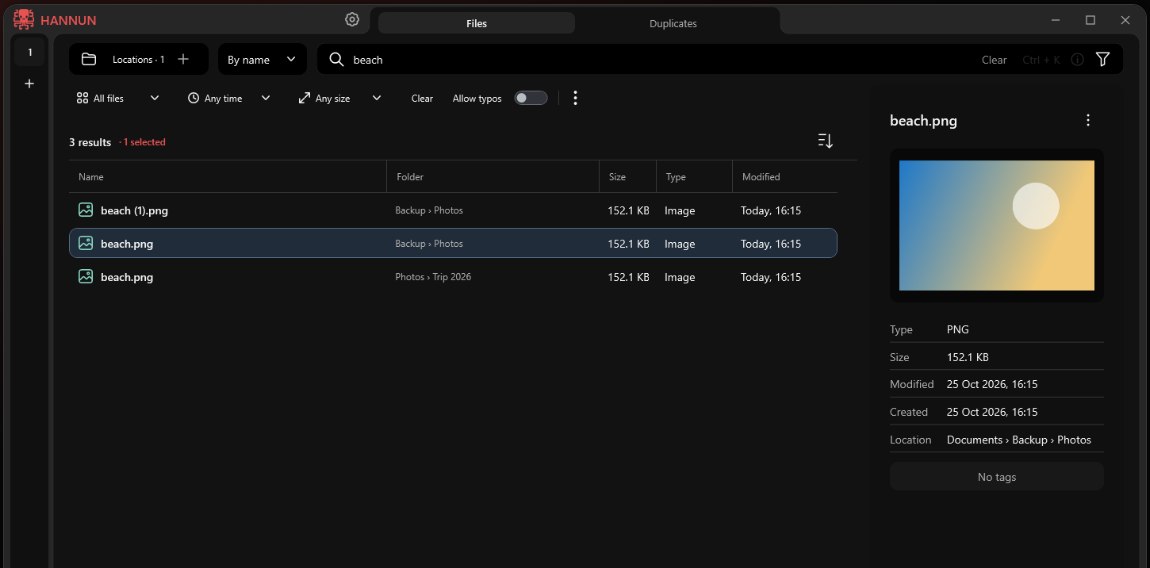
Preview
See the file before you open it.
Pick a result and its preview appears next to the list, with type, size, dates, location and tags.
- Filter by type, date and size
- Tabs, saved searches and bookmarks
- Typo-tolerant search and regular expressions
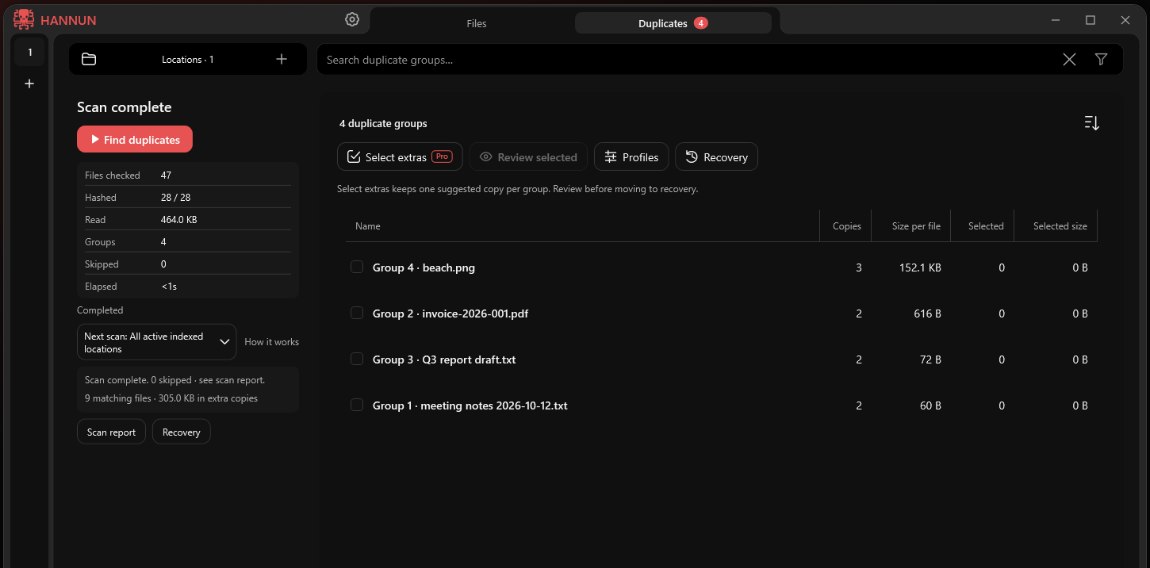
Duplicate finder
Clean up duplicates without the fear.
Hannun finds copies by their contents, not just their names. You review every selection, and removed copies go to a recovery area where you can restore them.
- Copies are matched by content, across folders
- You confirm every selection before anything moves
- Same-drive recovery provides an explicit restore option
Private by design
Your files stay on your PC.
Hannun indexes and searches locally. It doesn't send your files, file names or searches anywhere, and Pro activates offline with a licence file.

Pricing
Free to use. Pro if you need more.
There's no subscription. Pro is a one-time purchase for one PC.
Hannun
$0
Free, with no time limit
- Filename and path search in selected folders
- Document-text search in up to 5,000 recently modified eligible documents
- Supported previews, filters, tabs, saved searches, tags
- Duplicate scans, reports and one-group-at-a-time cleanup
- Recovery area with restore
The installer is unsigned, so Windows may show “Windows protected your PC”. Choose More info → Run anyway only if you intend to install Hannun.
Hannun Pro PRO
$29 one-time, one PC
Includes 12 months of updates. Versions released in that window keep working.
- Content search beyond the free limit
- More formats: RTF, OpenDocument, EPUB, EML
- Combined search rules, prefix and proximity search
- Cleanup across many duplicate groups, keeper profiles
- Bulk tag tools and a saved content cache
FAQ
Questions
Does Hannun work offline?
Hannun's search and indexing run locally without an app account, ads or telemetry. Buying Pro opens your browser for online checkout.
Which documents can it search inside?
The free edition searches inside PDF, Word (DOCX), Excel (XLSX), PowerPoint (PPTX) and text or code files, up to 5,000 of the most recently modified eligible documents in folders you choose. Pro removes the limit and adds RTF, OpenDocument, EPUB and EML. Scanned images need OCR, which isn't included, and encrypted documents aren't supported.
Is Hannun an alternative to Everything?
Both search filenames and paths. Hannun also searches supported document text, previews supported files and offers reviewable duplicate cleanup with a recovery area. We haven't published speed comparisons with other tools.
Why does Windows say “Windows protected your PC”?
Hannun is new and its installer isn't code-signed yet, so Microsoft SmartScreen may show a warning. Choose More info, then Run anyway.
Can duplicate cleanup delete my files?
On supported direct local NTFS drives, you review and confirm each selection, then extra copies move to a same-drive Hannun recovery area for explicit restore. Hannun does not automatically permanently delete them; recovery data continues to use disk space. Unsupported paths stay in place.
How do I activate Pro?
Buy Pro on Gumroad and your licence key arrives by email within a few minutes. In Hannun, click PRO at the bottom of the left sidebar, choose I already have the key, paste it, and choose Activate Hannun Pro. Activation happens offline.
What are the system requirements?
Windows 10 or 11 on an x64 PC, with .NET Framework 4.8, which most Windows 10 and 11 PCs already have.
Stop hunting for files.
Download Hannun free, choose your folders, and start typing.
The installer is unsigned, so Windows may show “Windows protected your PC”. Choose More info → Run anyway only if you intend to install Hannun.